DockTerm

DockTerm

Custom SSH hosts, snippets, and searchable history — plus multi-tab sessions and process tools — built around your existing ~/.ssh/config.

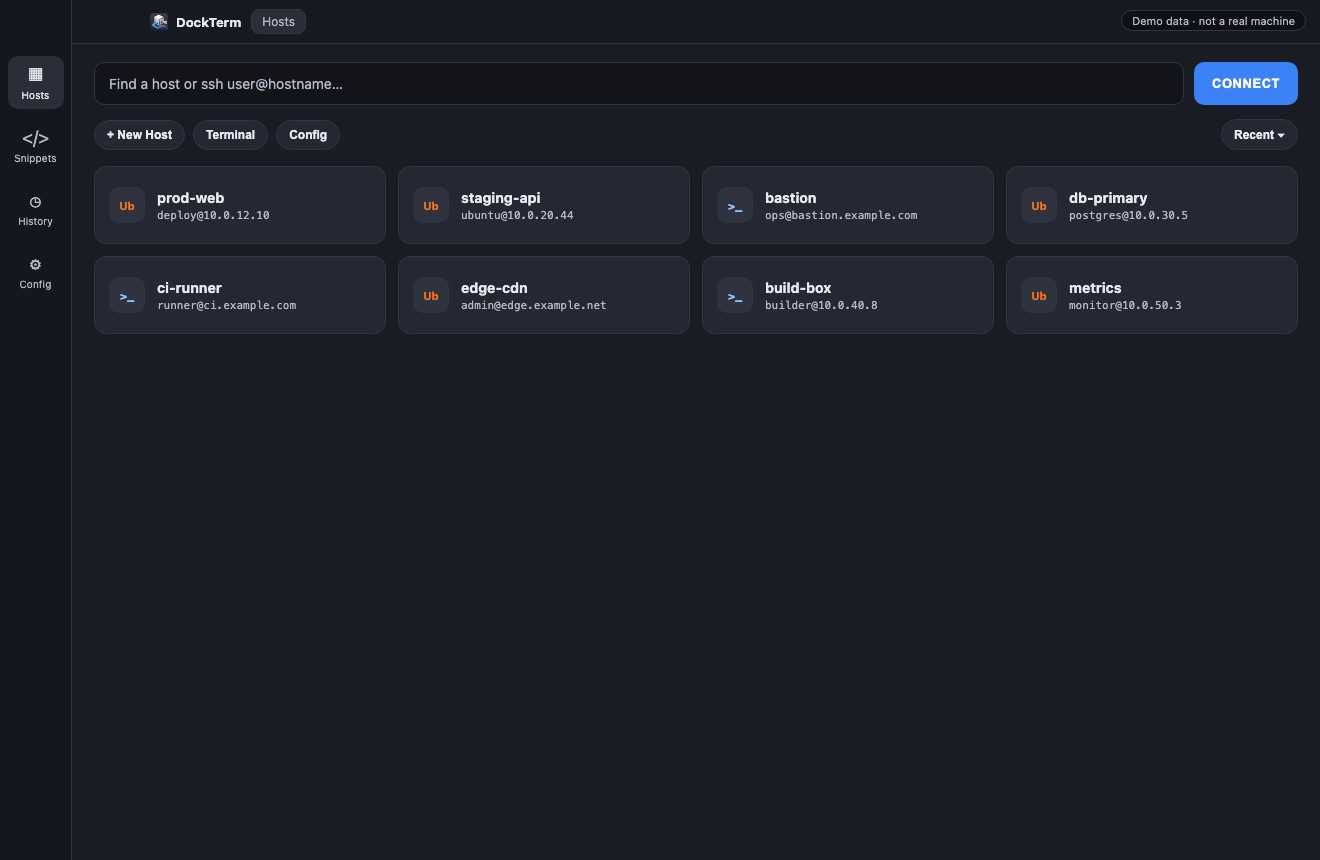
DockTerm hosts view with sample demo SSH aliases
Hosts UI with sample demo data (not from a real machine) — search, connect, manage aliases.

See the features

Screenshots use fictional hosts and commands so you can see the product without anyone’s private SSH config.

Demo DockTerm host grid

Hosts · custom SSH aliases, quick connect, New Host / Config.

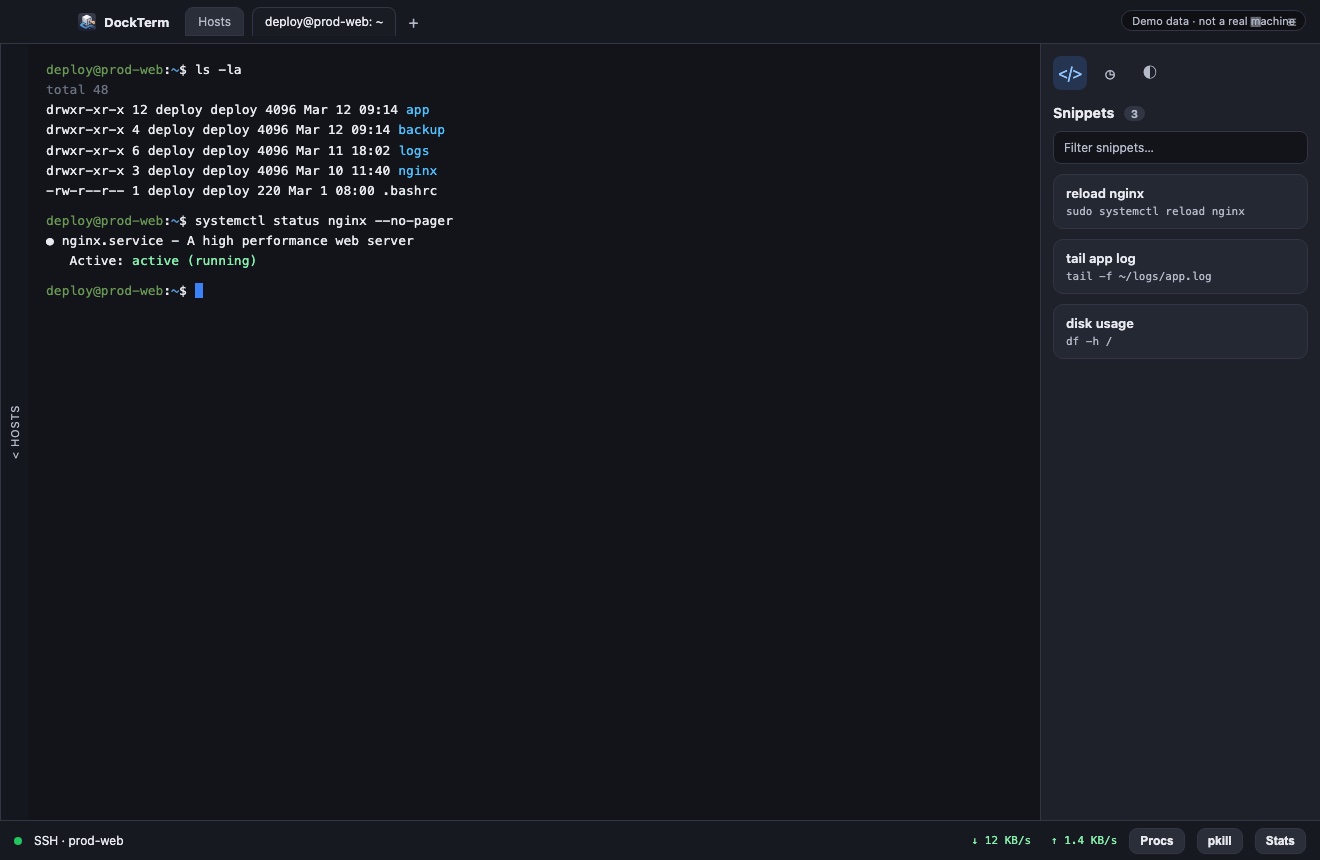
Demo DockTerm SSH session with snippets and ops footer

Session · snippets sidebar, live SSH, Procs / pkill / Stats.

More than multi-tab SSH

Tabs are only the shell. DockTerm is built around the workflow that sits next to the terminal — hosts, snippets, history, and ops.

Custom SSH hosts

Manage aliases from ~/.ssh/config with HostName, User, Port, IdentityFile, ProxyJump, and Include. Add hosts in the UI or open the full Monaco config editor.

Snippets

Save named commands and replay them into the focused session. Stored in ~/.ssh/shippets so you can back them up or sync them — without cluttering typed history.

Command history

Everything you type is kept with host context. Search, filter, open details, then run again or copy — perfect for “what did I run on that box?”

Tabs, splits & themes

Several servers in one window, split panes for side-by-side work, terminal themes, OS badges on hosts, and clickable links that open in your default browser.
Ops
Top processes, listening ports, and pkill by PID or port — plus session stats when available (passwordless sudo -n supported).
Config
First-class OpenSSH config editing with syntax highlighting — not a watered-down form when you need advanced directives.
Desktop
Electron app with a bundled Node runtime. No system Node install, no version conflicts with whatever else you run.

Six builds, one codebase

CI packages DockTerm for every common desktop architecture — grab the artifact that matches your machine.

macOS

Apple Silicon & Intel — DMG / ZIP

Windows

x64 & arm64 — NSIS installer

Linux

x64 & arm64 — AppImage

Start in minutes

Download a release build, or clone and run npm run desktop. macOS builds are ad-hoc signed so Gatekeeper shows a one-time allow prompt — not a “damaged / delete” error. Use System Settings → Privacy & Security → Open Anyway if asked. Looking for a sponsor to cover Apple notarization so Mac downloads open with a double-click — get in touch.